The best data entry software in 2026
The best data entry software in 2026 is still one of four tools: Microsoft Excel, Google Sheets, Airtable, or Notion. Each one is good at something different, and the right pick depends on how your team works, how much data you handle, and where the data needs to end up.
This guide compares the four head to head, with pros, cons, and the kind of team each one suits best. Then it covers the one thing they all share, and the best way to close that gap no matter which tool you choose.
How we picked these four
We focused on the tools real teams actually use to enter, store, and work with day-to-day business data. Excel and Google Sheets cover classic spreadsheet work. Airtable covers structured database use cases. Notion covers data-in-context, where records live alongside notes and documents.
We left out specialist ERPs and accounting software (great at their job, but not what most teams reach for first) and intentionally avoided developer-only tools.
Microsoft Excel
Excel is the most established data entry tool in the world. It is what most people learned on, and it still handles huge datasets faster than any web-based alternative.
Pros
- The most powerful formulas, pivot tables, and charts of any tool on this list.
- Works offline. Files are local, which suits regulated industries.
- Handles millions of rows without slowing down.
- Almost universal compatibility. Every accountant, lender, and consultant can open it.
Cons
- Paid (Microsoft 365 subscription or one-off licence).
- Collaboration is awkward. Two people editing the same file at once still relies on OneDrive.
- Every value has to be typed in by a person.
- File-based history makes audit trails harder than in a database tool.
Best for: finance, accounting, analyst-heavy teams, and anyone working with large datasets or complex formulas.
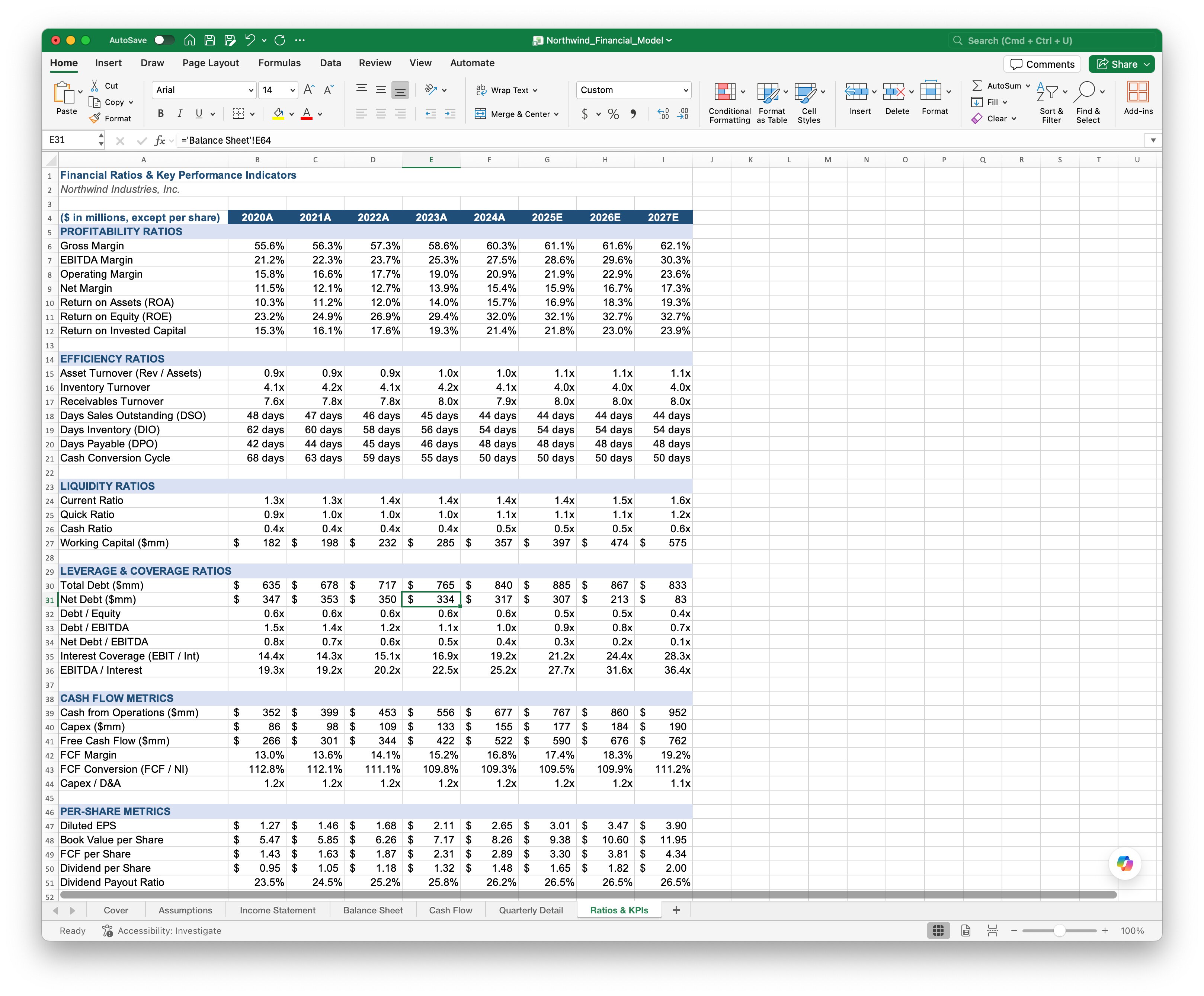
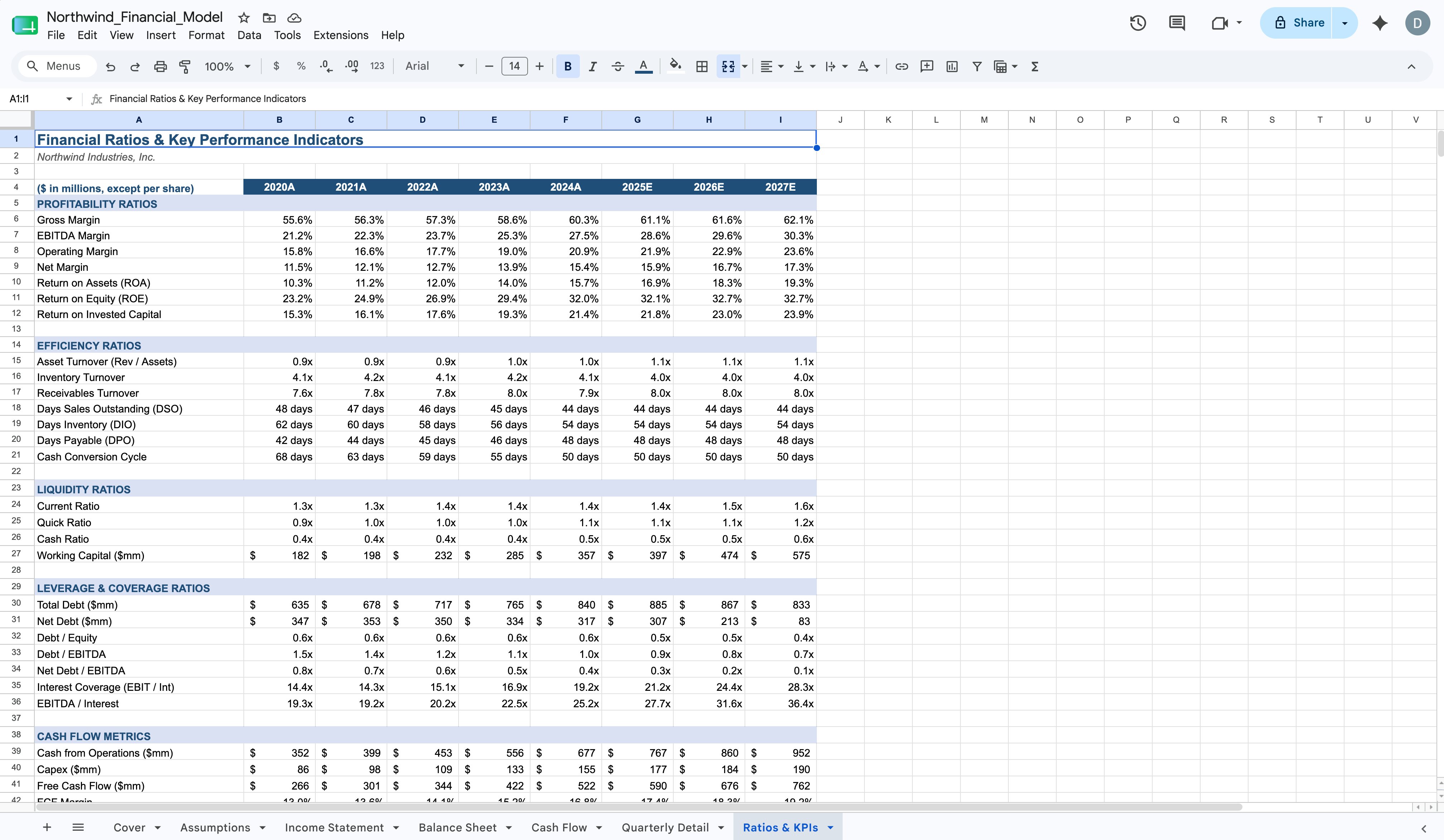
Google Sheets
Google Sheets is the default cloud spreadsheet. It is free for personal use, included with most Google Workspace plans, and built for collaboration from the ground up.
Pros
- Real-time multi-user editing.
- Free for personal use. Cheap on Workspace.
- Lives in the browser, so no installs.
- Easy to share with a link.
Cons
- Slows down on very large datasets.
- Mostly compatible with Excel formulas, but some are missing or different.
- Offline use is limited.
- Still 100% manual entry.
Best for: small to mid-sized teams that need fast collaboration and do not work with millions of rows.
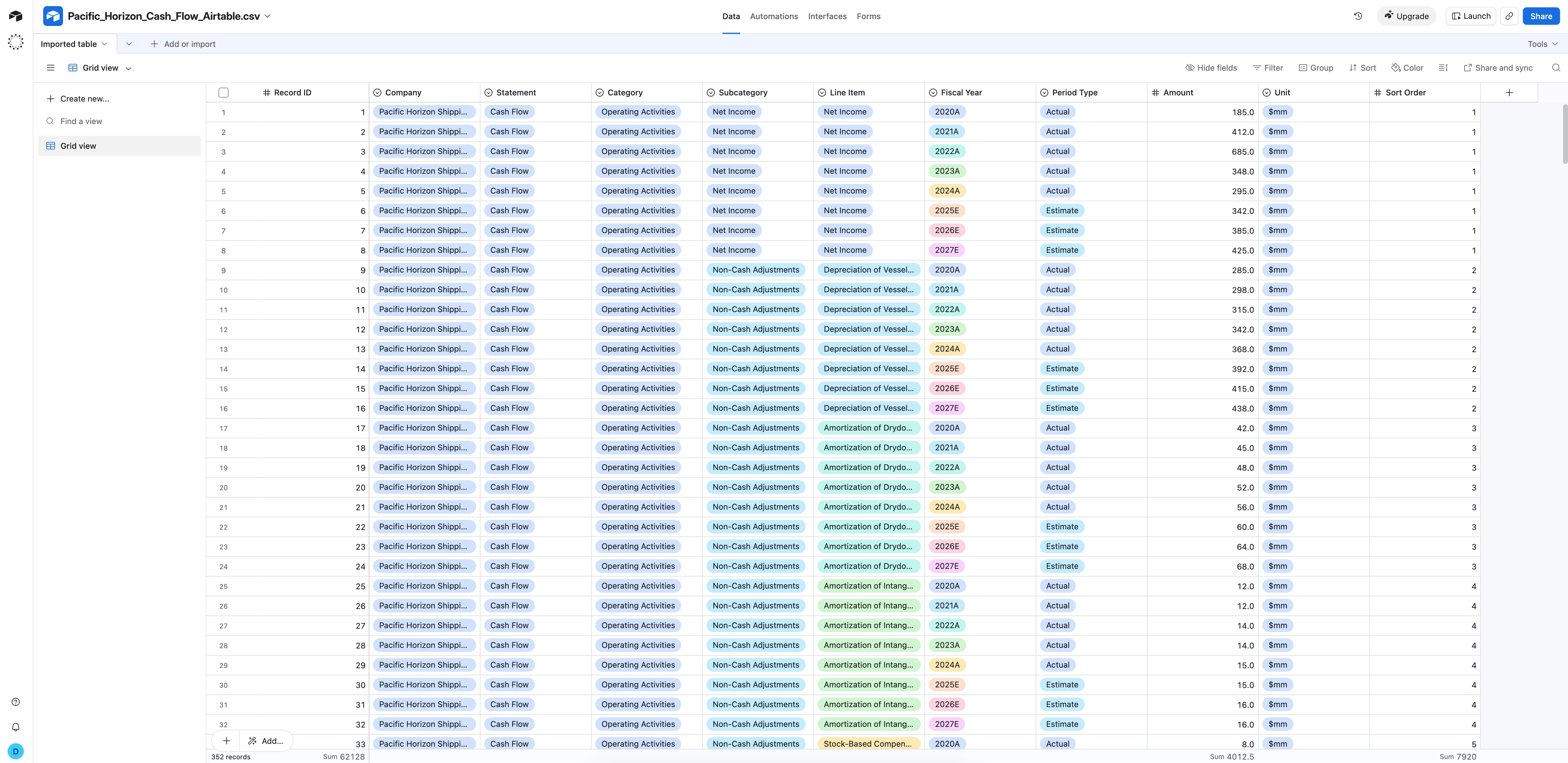
Airtable
Airtable looks like a spreadsheet and behaves like a database. Records have field types (single line, attachment, link, status), the same data can be viewed as a grid, calendar, kanban, or gallery, and tables can link to each other.
Pros
- Cleaner data than a freeform spreadsheet because every field has a type.
- Multiple views of the same data (grid, calendar, kanban, gallery).
- Linked records and lookups.
- Decent built-in automations and integrations.
Cons
- Costs add up quickly past the free tier as you add users and records.
- More to learn than a spreadsheet.
- Heavy lifting on large datasets (hundreds of thousands of rows) is slower than Excel.
- Records still need to be typed in.
Best for: ops teams, content calendars, project tracking, CRM-style use cases, and anything where you want structure without paying for a real database.
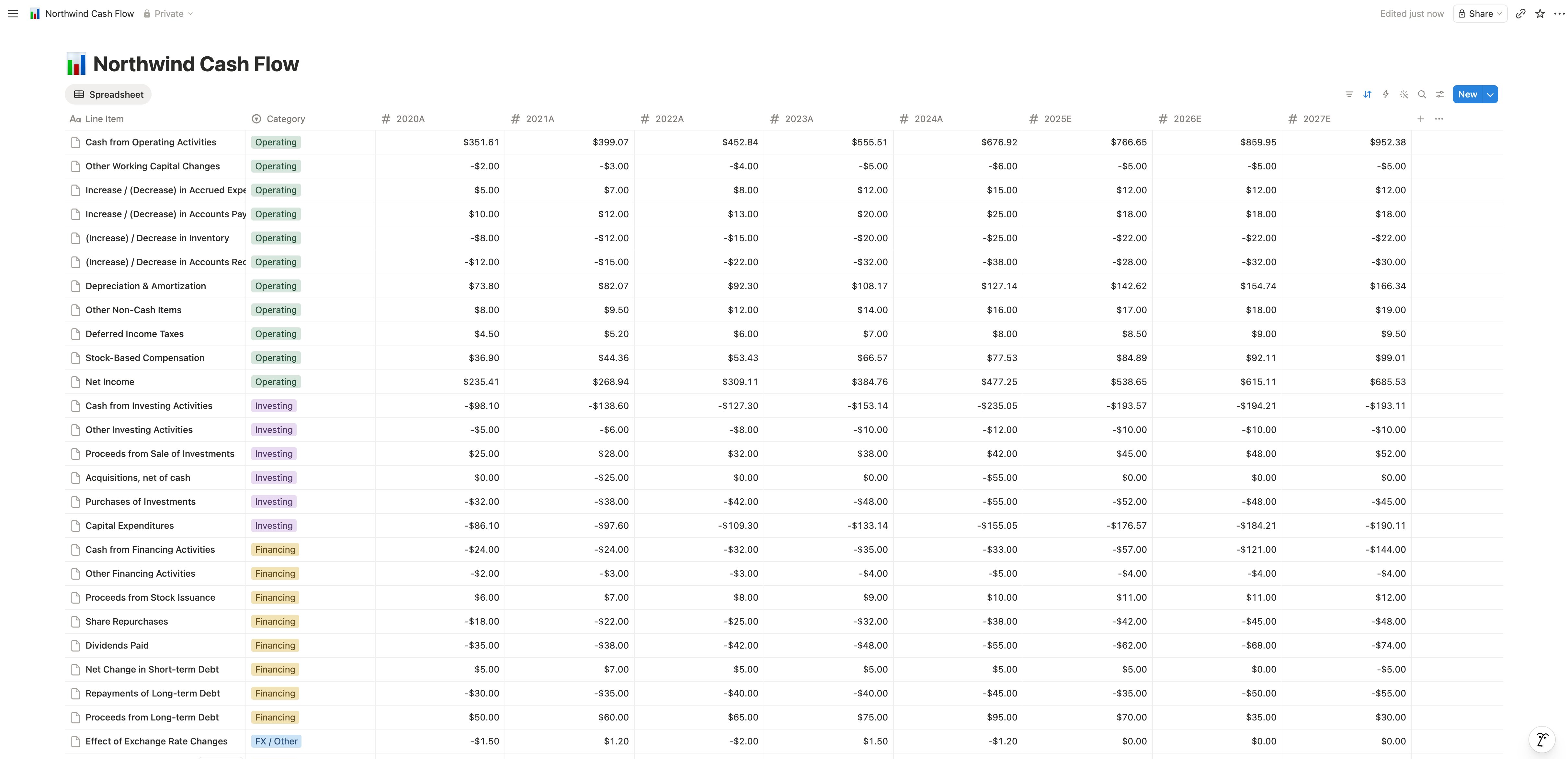
Notion
Notion’s strength is putting structured data right next to docs, wikis, and notes. A Notion database can be a table inside a page, a board, a calendar, or a gallery, and each item can have its own page with rich content.
Pros
- Data and documentation in one place.
- Flexible. The same workspace can host meeting notes, a wiki, a CRM, and a project tracker.
- Great for small teams who want one tool instead of five.
- Cheap and easy onboarding.
Cons
- Notion databases slow down with thousands of rows.
- Not built for heavy data analysis. No real cross-row formulas the way spreadsheets work.
- Connections to other tools and exports are limited compared to the others.
- Manual entry, same as the rest.
Best for: small teams, founders, and anyone who wants their data to live alongside the docs that explain it.
So which is the best data entry software in 2026?
It depends on what you are entering and who is entering it.
- For heavy spreadsheet work with large datasets and serious formulas, Excel is still the benchmark.
- For everyday collaboration on small to mid-sized data, Google Sheets is the easiest.
- For structured records that need to link to each other, Airtable is the cleanest fit.
- For data that lives alongside documents, Notion is unique.
In practice, most teams end up using two or three of these. Sales runs on Airtable. Finance lives in Excel. Knowledge sits in Notion. Quick collaboration happens in Google Sheets. The best tool is whichever fits the job in front of you.
The bigger problem: every one of them is still manual
Pick any of the four and you arrive at the same place. They are all built around someone sitting at a keyboard and typing in data, line by line, off a receipt, a PDF, an email, or a scanned form.
That is the part NiceData fixes. NiceData reads the documents your data is currently trapped inside (receipts, invoices, contracts, forms, business cards, screenshots, scanned PDFs) and turns them into clean structured rows in seconds. You then push those rows into whichever tool you actually want to live in. For the document side of that flow, see how to extract data from a PDF.
How NiceData automates data entry into any of them
Three steps. No setup. See the same flow on the homepage for a quick overview, or check pricing to see what it costs versus typing the same data by hand.
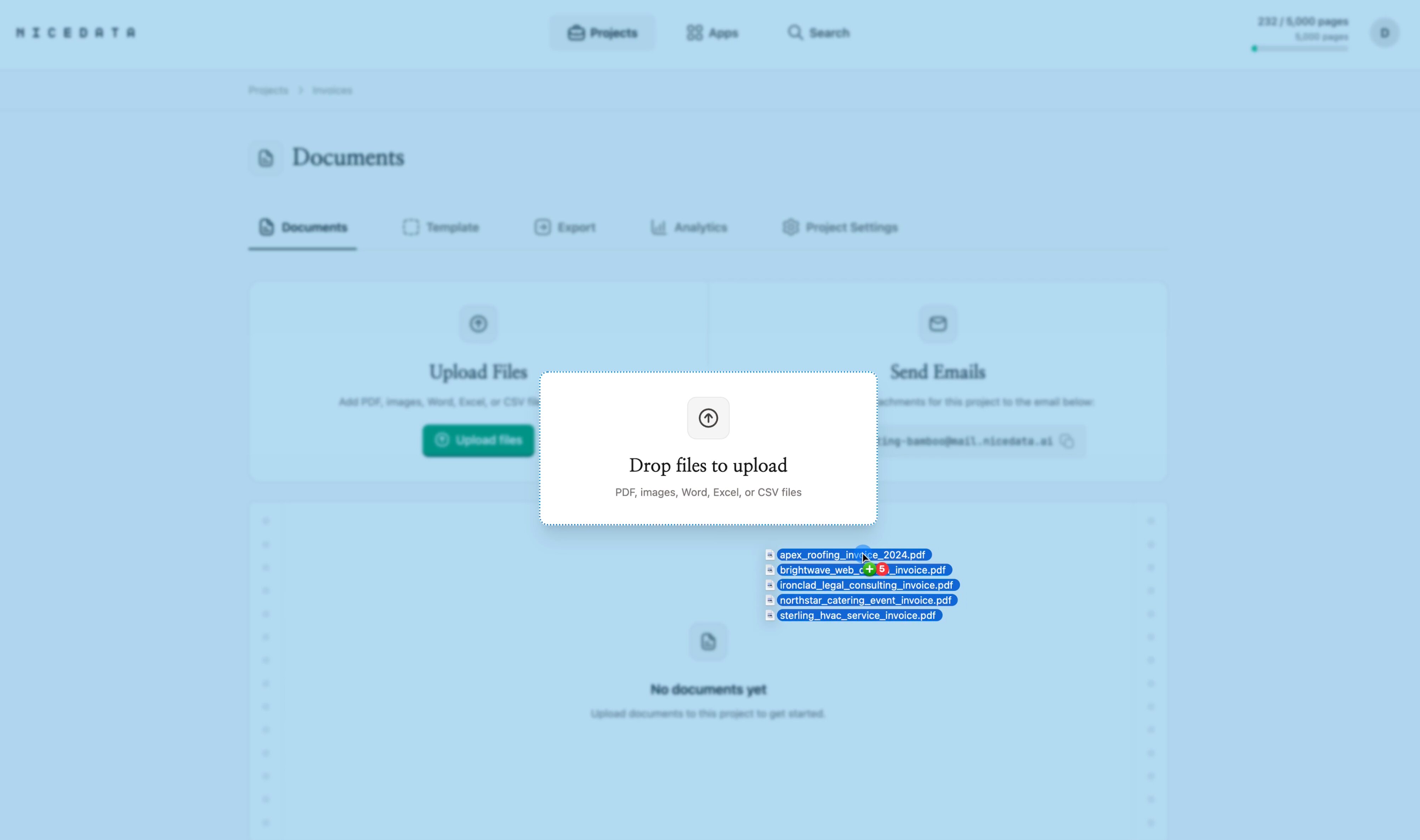
Step 1: Drag and drop your files
Sign in, drag your documents into the upload area, and let go. You can drop in one file or hundreds at a time. NiceData accepts photos, scans, PDFs, spreadsheets, Word documents, CSVs, and email attachments. Every project also comes with a unique email address you can forward attachments to.
Step 2: NiceData reads and structures the data
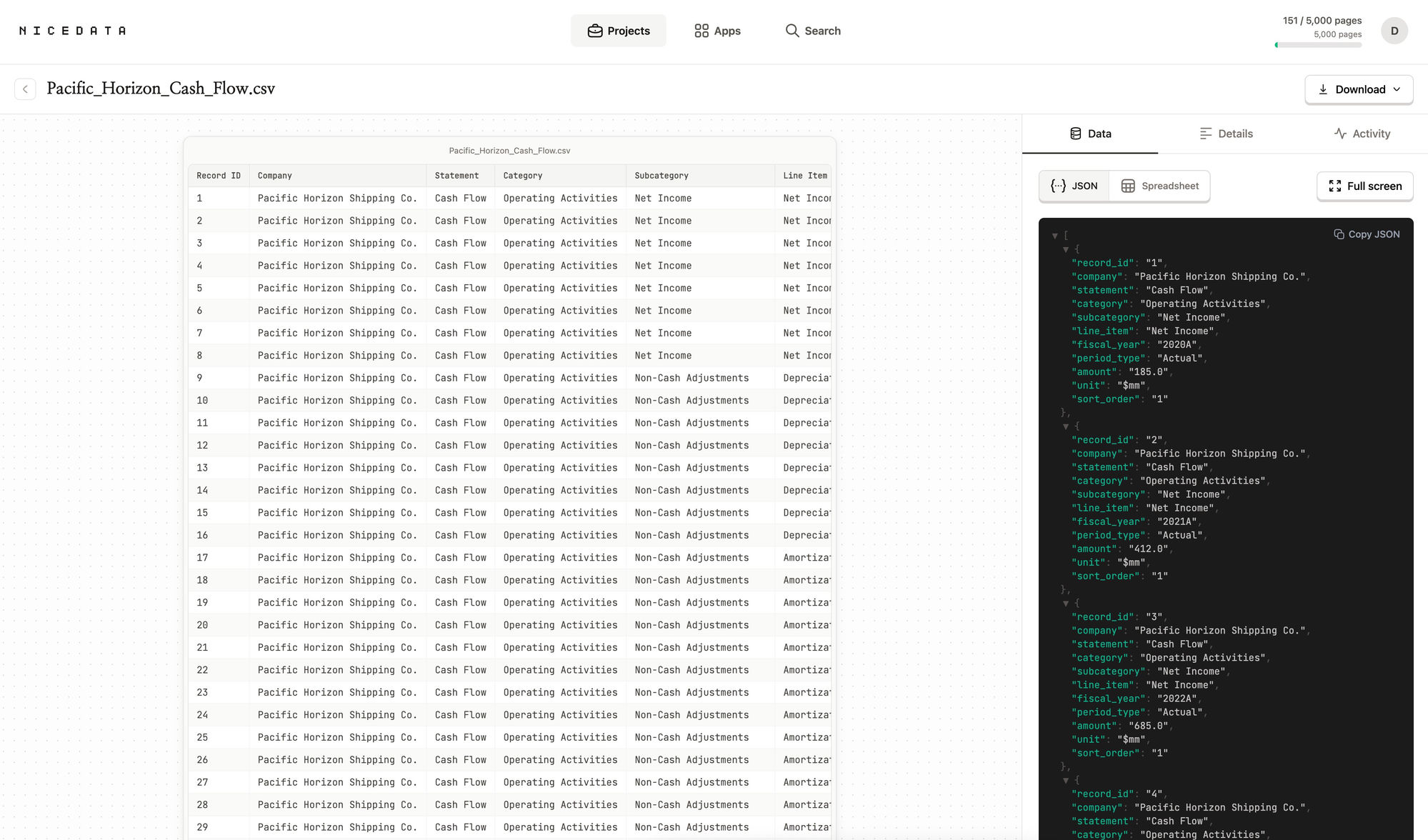
NiceData uses AI to recognise every value on the page (names, numbers, dates, addresses, totals, line items) and organises the information into clean fields. No layouts to draw. No model to train. No code.
Step 3: Export into whichever tool you use
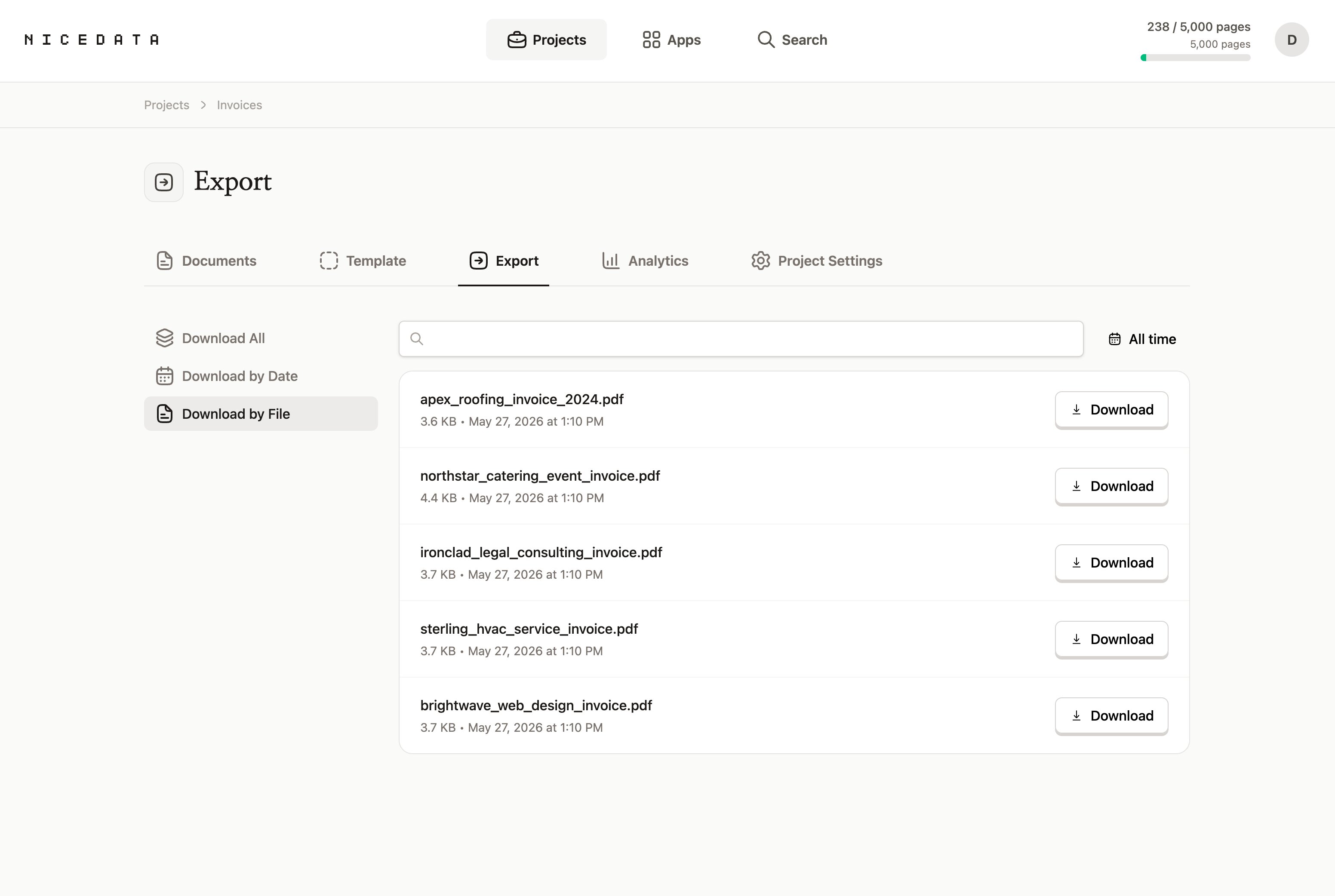
Once the extraction is done, send the data wherever it needs to go:
- CSV or Excel to drop straight into Microsoft Excel or Google Sheets.
- CSV to import into Airtable in one click.
- CSV or copy-paste to bring into a Notion database.
- JSON if a developer is wiring it into something custom.
How much time and money you save
Manual data entry is one of the most expensive ways to move information around. A bookkeeper or admin typing receipts into a spreadsheet usually processes two or three documents per minute on a good day. NiceData processes the same documents in seconds, regardless of which destination tool you are sending them to.
- 100 receipts entered by hand might take a junior team member two to three hours. The same batch in NiceData finishes in under five minutes.
- A finance team spending ten hours a week on data entry can reclaim more than 500 hours a year by automating it.
- A part-time data entry contractor at $20 to $30 per hour for ten hours a week works out to over $10,000 a year. A NiceData subscription covers the same workload for a small fraction of that.
Who NiceData is built for
NiceData is not built for engineering teams. It is built for the people who actually do the data entry: operations managers, finance teams, admins, sales coordinators, HR, and anyone who deals with documents as part of their day.
You do not need to write code. You do not need to draw out layouts. You do not need to train a model. If you can drag and drop a file, you can use NiceData.
File types you can upload
NiceData handles the formats you actually receive from customers, suppliers, and colleagues:
- JPG and JPEG (photos and scans)
- PNG (screenshots and high-quality images)
- GIF and WebP
- TIFF and TIF (often used by scanners)
- PDF (single page or multi-page)
- Word documents, Excel files, and CSVs
Mix and match. Upload a PDF invoice alongside a Word contract alongside a screenshot of an email, all in the same project, and get them all back as structured data in the same export, ready for Excel, Sheets, Airtable, or Notion.
Frequently asked questions
Which data entry software is best?
It depends on the job. Excel is best for heavy data and complex formulas. Google Sheets is best for fast collaboration. Airtable is best for structured records that link to each other. Notion is best when your data needs to live alongside docs and wikis. NiceData feeds clean data into any of them, so the choice can come down to how your team likes to work.
Is it free to try?
Yes. NiceData has a 14-day free trial that includes 25 pages of extraction. No credit card required. You can run it on your own documents before deciding whether to subscribe.
Do I need to know how to code?
No. NiceData is built for people who have never written a line of code. The entire workflow happens in your browser through a friendly interface. If you can drag a file into a folder, you can use NiceData.
How accurate is the extraction?
Very accurate. NiceData uses modern AI to read documents, so it handles printed text, scans, photos, and most handwritten notes well. Accuracy holds up across languages and on documents with mixed text and numbers like invoices and receipts.
Does NiceData replace Excel, Google Sheets, Airtable, or Notion?
No. NiceData is the step that comes before. It turns documents into clean structured rows, then exports them as CSV, Excel, or JSON so they drop straight into whichever tool your team already uses.
Is my data secure?
Yes. Documents are encrypted in transit and at rest, and stored in isolated project folders that only you and your team can access. You can also set documents to delete automatically after 1, 14, 30, 60, or 90 days.
Related guides
Data Entry Automation
Data entry automation turns invoices, receipts, and forms into clean structured data in seconds. No setup, no code, no typing. Start your free trial.
Convert PDF to Excel
Convert any PDF to a clean Excel spreadsheet in seconds with NiceData. Upload your file, read it with AI, and download a ready-to-use workbook. Try it free.
Convert PDF to CSV
Convert any PDF to a clean CSV in seconds with NiceData. Upload your file, let the AI read it, and download a sortable spreadsheet. Try it free.

Dace Willmott
Founder
NiceData aims to eliminate manual data entry from document workflows. We write about AI-powered document processing, data extraction best practices, and the tools that help teams move faster with cleaner data.